Every tool a song needs to travel from the first hummed idea to the setlist on stage — writing, demos, rehearsal and the gig itself, in one quiet place. Now your band can play along.
The Windows app is a companion — it unlocks with the account from your Android phone.
v 3.0.0 · 43 MBNo ads · no trackingYour audio stays on your device unless you send it
One road
A song is written at midnight, rehearsed with the band in the kitchen, and proved on a Friday night stage. Songward is one road through all of it.
Five spaces — Songs, Studio, Home, Rehearse and Gigs — with the toolbox one tap from Home, so an idea can travel all the way to the stage without ever leaving the app, with the right instrument always within reach.
CH.01Write
Begin where it hums.
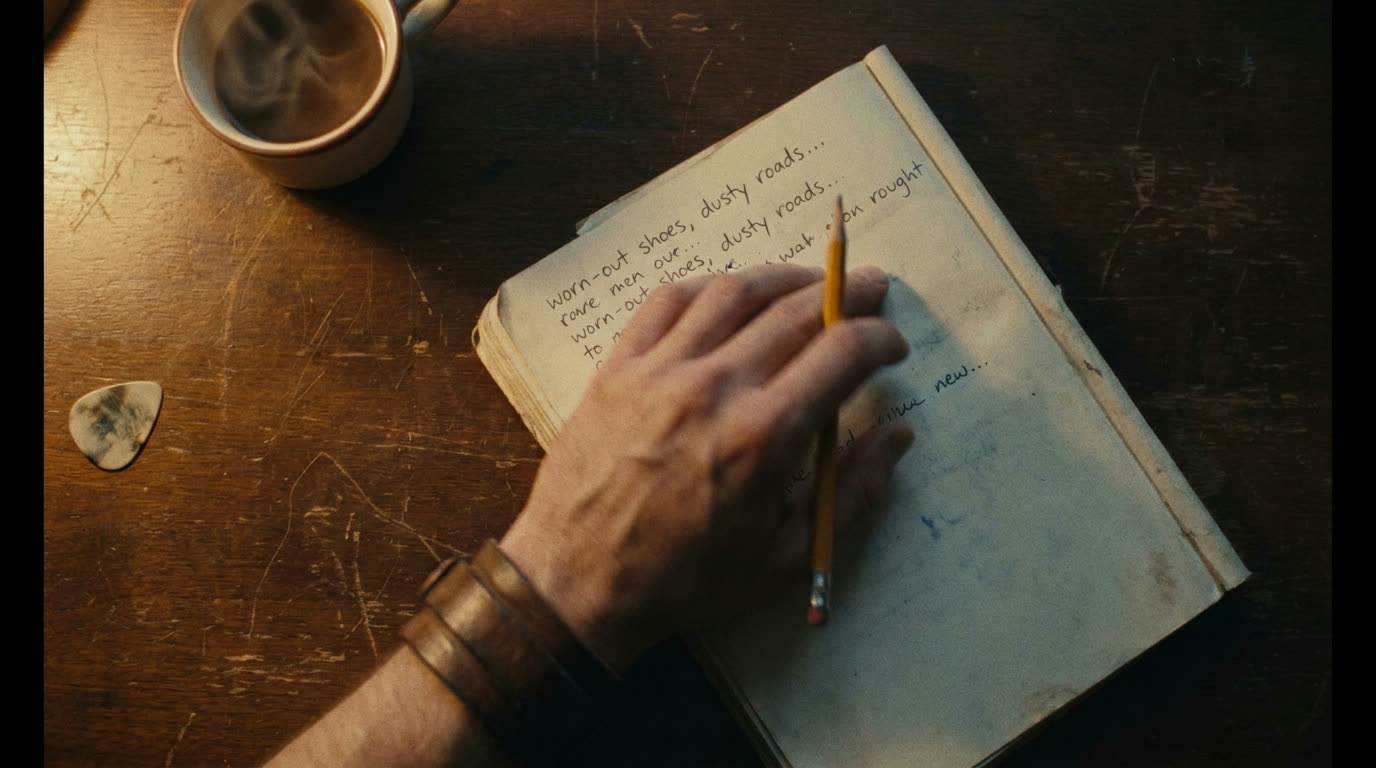
Lyrics with the chords above the words, the way songwriters actually work. Craft tools that stay out of your voice — and versions of every lyric, so you can go back to the line you talked yourself out of.
Rhymes in seven languages, syllable matching between verses
In-key chord suggestions
Hands-free voice dictation
Drag sections into a new order
Lyric versions & co-writer splits
Your songs and covers, side by side
CH.02Studio
Catch it before it escapes.
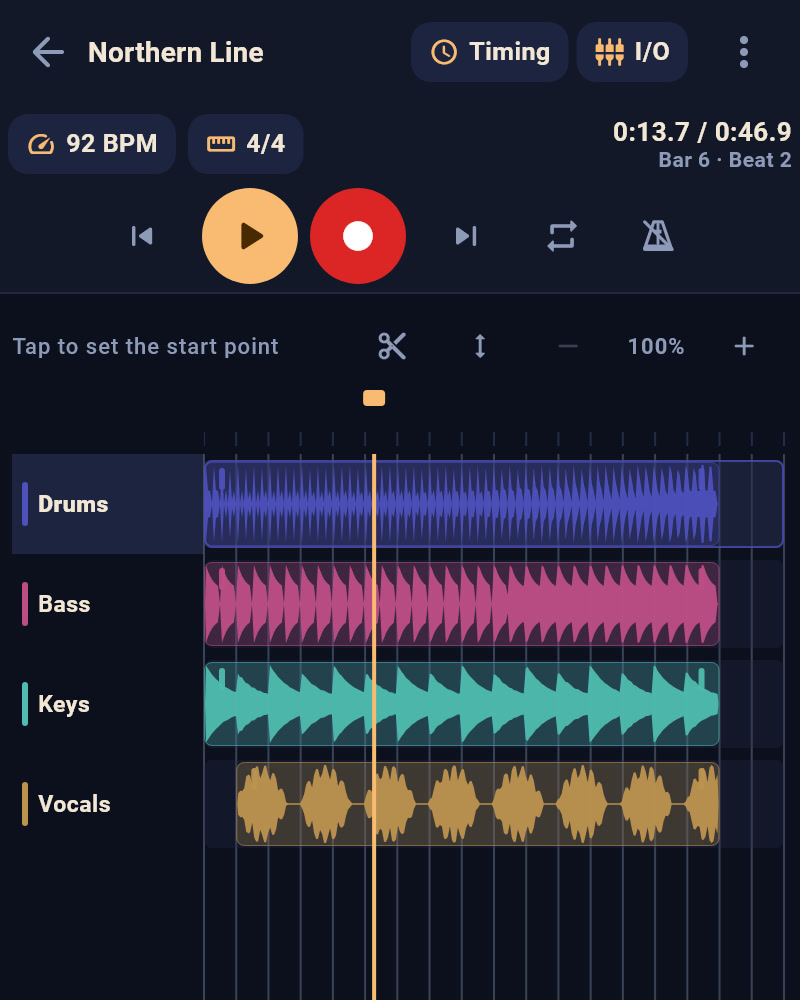
Hum the idea, then build it into a demo, layer by layer. Count-in and click, punch-in to drop a new part anywhere — and re-recording keeps your previous take, so a good pass is never lost to a worse retry.
Layered demo recording
Generated drum loops & bass lines in the Loop Lab
Per-layer volume, pan & effects rack
One-tap Enhance & master polish
Timeline with snapping loop markers
Export a shareable M4A or lossless WAV
Take 1
Take 2
Take 3
Take 4
voice memo · guitar · harmony · percussion
CH.03Rehearse
Practise like it’s the gig.
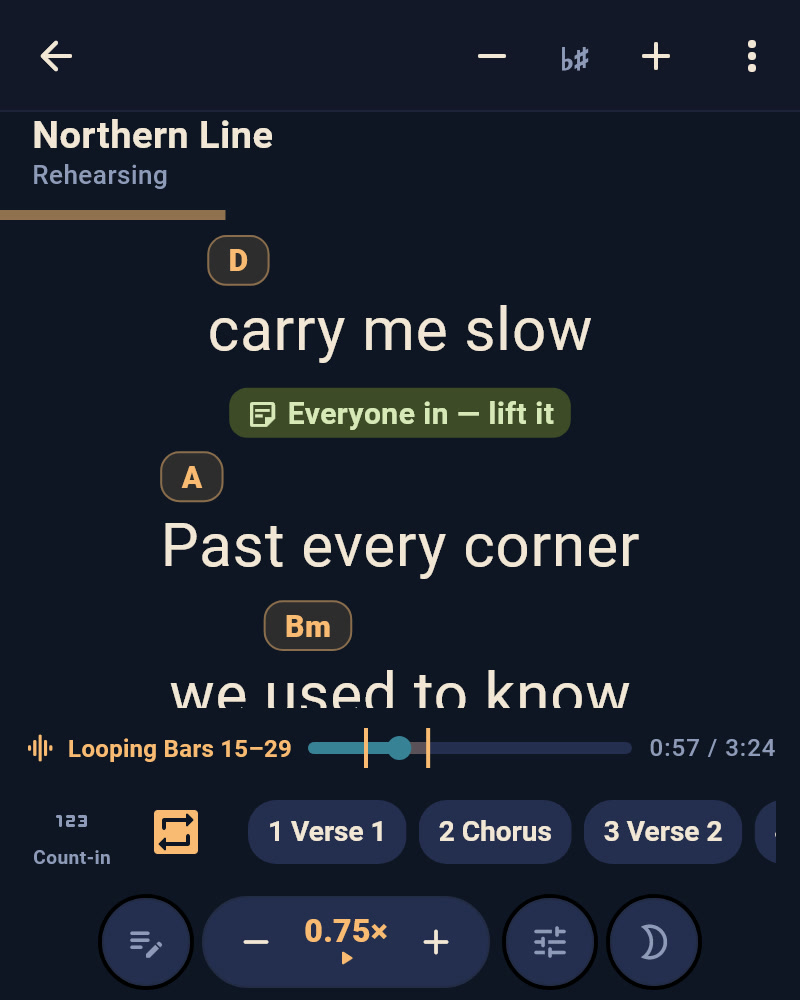
Rehearse is the new space where a song gets ready for the stage. It shows what to practise — your next gig’s set and the songs you haven’t played in a while — and when you last played each one. The play-along has the stage’s own layout, so what you learn at rehearsal is what you touch at the gig.
A practice track for each song — a Studio demo, a recording or a backing track from your files
Count-in, loop and slower speeds — and the speed trainer, which brings a loop up to full tempo
Tap anywhere to start, transpose, and one scroll speed per song, shared with the stage
Your own notes on the lyrics, typed or drawn — only on your device
Record the rehearsal with one red dot: a take per song, into the Studio — with the band, each phone records its own mic
CH.04Band
Bring the band.
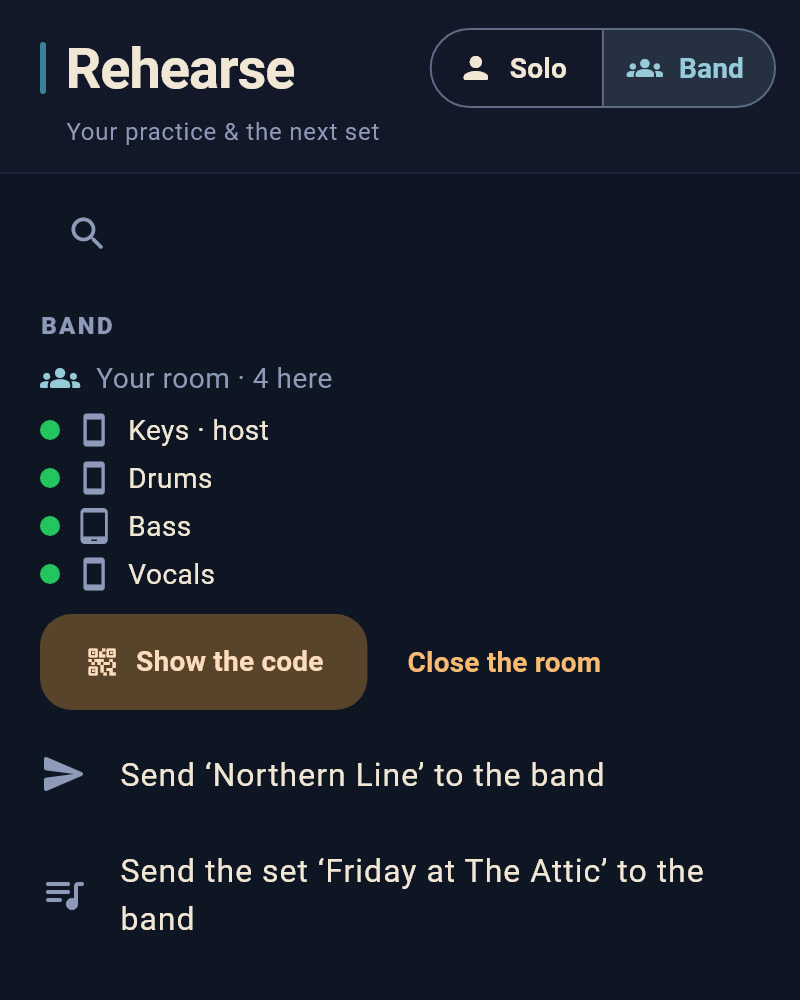
Turn on band mode when the band gets together. Bandmates on the same Wi-Fi, or on one phone’s hotspot, see each other by name — only while band mode is on and Songward is open. One phone hosts a room, and its Play starts everyone: the same song on every screen, one count-in, every track together.
Send to band: a song or a whole gig as one file — practice tracks too, if you choose
Share straight to bandmates nearby, by name — they tap Accept, or block a device they don’t know
Anyone on your Wi-Fi can join with one tap — at a venue, switch that off, and a new phone needs the room’s code
At the gig, every stage starts, stops and scrolls with the host’s, and turns to the next song in tonight’s key
Your band, remembered: next time, Start the rehearsal opens the room, and bandmates with band mode on join by themselves if you played together in the last month
Send to band is free. Being seen in band mode, sharing over Wi-Fi, the room and stage sync are part of Pro — every member needs it, the host too. On stage, use a phone’s hotspot or a travel router, never the venue’s Wi-Fi.
CH.05Live
Then go play it.
Setlists as real gigs — date, venue, pay, rating. On stage the phone goes hands-free: auto-scroll, transpose, Nashville numbers, a foot pedal if you use one, and a blackout clock between songs.
Hands-free stage mode with auto-scroll
Transpose & Nashville numbers
Foot-pedal support & per-song cues
Prep checklists & rehearsal mode
Earnings, gig by gig
Share a set as text, QR or PDF
Friday · The Attic21:30 · set 1 of 2
Northern LineBm · 92
Paper BoatsC · 118
GlasshouseEm · 74
Last of the LightG · 104
CH.06Toolbox
The whole gig bag, in one place.
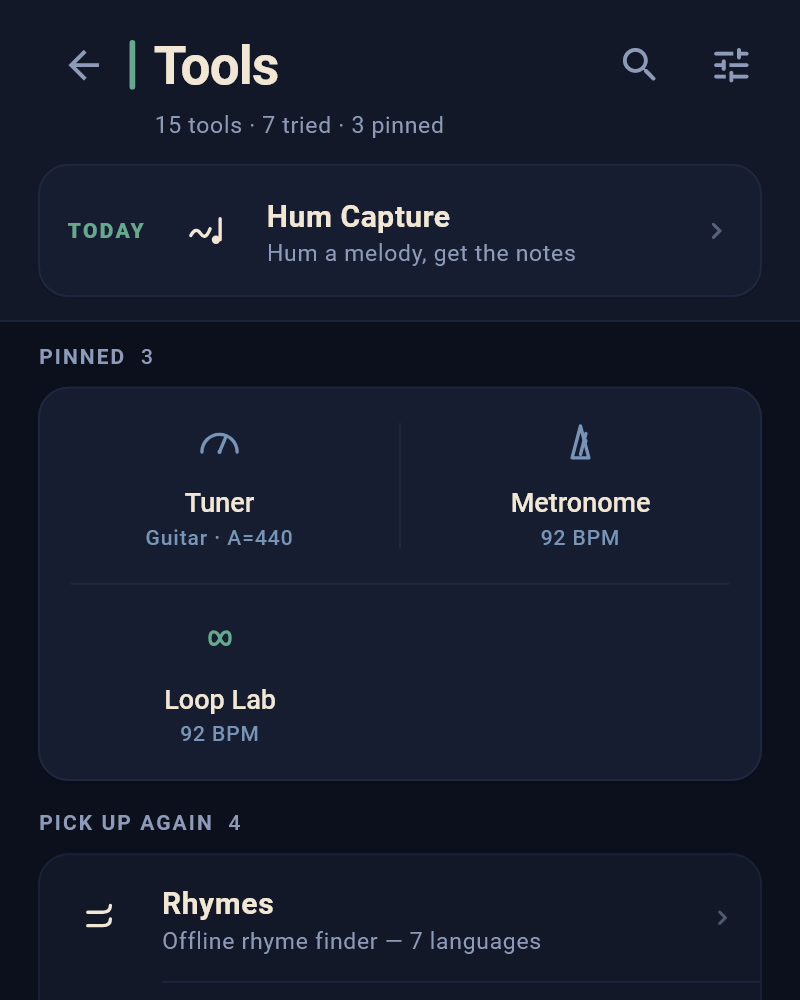
Fifteen small instruments that live in your pocket — like the back of a record, every one earns its track. They open from Home and come along everywhere: a rhyme while you write, a tuner before the count-in.
01Loop Labdrums, bass & pads · a groove in one tap
02Hum Capturehum a melody, get the notes
03Tunerstrobe-precise · guitar, bass, violin & more
No ads. No tracking. Your audio stays on your device unless you send it.
Your writing is backed up free to the cloud, with a 30-day trash for regrets. Your recordings stay private, on your machine. With your band, the phones talk over your own Wi-Fi or hotspot, never through a server, and a song goes to a bandmate only when you send it. The privacy policy says so in plain English.
Plans
The song comes first.
Free · forever
Free, to write and to play.
Not a demo and not a countdown — the whole road, from the first idea to a Friday night, with room to grow into.
Ten saved versions per song — name a draft before a rewrite and go back to it whenever
All 15 tools open — not one of them sits behind the paywall: tuner, metronome, rhymes in 7 languages, Hum Capture, Loop Lab, Jam Pad and the rest
The hands-free stage — two gigs on the books at a time, and finishing a night frees its slot: auto-scroll, Nashville numbers, foot pedal & the printed songbook
Studio: 3 demos of up to 4 layers each, export included
Rehearse with a practice track on up to 6 songs at a time — count-in, loop and every speed included — and record the rehearsal
Send a song or a whole gig to your band as one file
Cloud backup of all your writing, 30-day trash
Whatever you make is always yours.
Pro · monthly, yearly, or yours for life
Pro, for the road.
Pick a monthly or yearly plan — or one payment of €29.99 that’s yours forever. Every plan unlocks the same thing: more of it, and deeper.
Every draft kept — versions stop being trimmed at ten, however long the rewrite goes on
Unlimited gigs & reusable setlist templates — build a set once, start any night from it
The books behind the shows — what each night pays, who still owes you, how it went, and the totals across your year
The whole Studio — unlimited demos & layers, the effects rack with one-tap Enhance, punch-in re-recording
Rehearse without a limit — a practice track on every song, and the speed trainer: a loop that speeds itself up to full tempo
The band over Wi-Fi — share to bandmates by name, the band room with one count-in, and stage sync at the gig, every member on Pro
Practice depth — Loop Lab song sections & custom grids, your own Jam Pad progressions, chords by quality in ear training
Every instrument & alternate tuning, the metronome trainers, the chord recogniser and all the voice warm-ups
Five premium themes, and sync across devices — start a verse on the phone, finish it on the computer
7-day free trial with a free Songward account — no card, and it ends on its own. Pro unlocks on Windows with the same account. Google Play shows the price in your own currency.
Steered by the people who use it. Every idea and vote inside the app helps decide what comes next — including a possible AI co-writing tier, which only gets built if enough of you ask for it.
Questions
Good to know.
Does the band need the internet?
No. The phones talk to each other over your own Wi-Fi or one phone’s hotspot, and nothing goes through the internet. On stage, use a phone’s hotspot or a travel router, never the venue’s Wi-Fi. On a Wi-Fi with no internet, an Android phone’s cloud backup, sync and purchases wait while band mode is on.
Does my audio leave my phone?
Never, unless you send a song. Recordings stay on your device, and the cloud backup holds your writing only. A song goes to a bandmate as a file you share yourself, or straight to their phone once they tap Accept — and its practice track goes along only if you choose. In a band room no sound travels between the phones: each plays its own track.
Does it work on iPhone?
Not today. Songward runs on Android phones and tablets, with a Windows companion.
Does everyone in the band need Pro?
To play together over Wi-Fi, yes: sharing nearby, the band room and stage sync need Pro for every member, the host too. Each bandmate can try it first with their own 7-day free trial. Sending a song as a file stays free.
Why can’t my bandmate see me?
Check three things: you both have band mode on (Band, in Rehearse) with Songward open; you’re on the same Wi-Fi or the host’s hotspot; and you both have Pro. On Windows, when Windows asks whether Songward may accept connections, tick both boxes and choose Allow (Windows may ask for an administrator’s password).
Why don’t our tracks start together?
Every phone and speaker adds its own small delay. In the band room, under Timing on this device, move the Click and Track sliders by ear until you sound together. Bluetooth headphones add more: a phone notices them by itself, and on a computer there’s a switch for them there.
Which file do I send?
Send to band makes one .songward file with the song or the gig inside. Send it through any chat, email or cloud drive. Your bandmate taps it to open it in Songward — on Windows, a double-click.
The desktop companion
Get Songward.
Songward lives on your phone — and it’s on Google Play now. The Windows studio comes with it: it unlocks with the account you use in the phone app, your writing comes over when you sign in, and with Pro it stays in sync between them.
Download the zip and run the Songward-Setup installer inside it.
STEP 02
Windows shows a blue warning because Songward is new and from a small developer — click More info, then Run anyway. Just once.
STEP 03
Open Songward and sign in with the account from your Android app — that’s what unlocks the desktop.
Playing with your band? A band file opens with a double-click. The first time you turn on band mode, Windows asks whether Songward may accept connections: tick both boxes, private and public, and choose Allow (Windows may ask for an administrator’s password) — or bandmates can’t see this computer. No camera needed: pick the room from the list, and type its code if it asks.
Windows 10 / 11, 64-bit · Your songs are stored in Documents\songward, safe across updates.